MinutePad
An iOS sticky-note app built decision-by-decision, with CLAUDE.md as the AI's product requirements doc
- My role
- Product definition, scope and subscription design, decision log; built with Claude Code
- Stack
- SwiftUIWidgetKitStoreKit 2Core DataVision OCRAzure OpenAI
- AI collaboration
- Claude CodeAzure OpenAI GPT
- 26
- Logged decisions · each with context, options and change triggers
- 5
- Target markets · TW, HK, CN, English, Japanese
- NT$49
- Pro pricing · per month; NT$349 per year
- 3
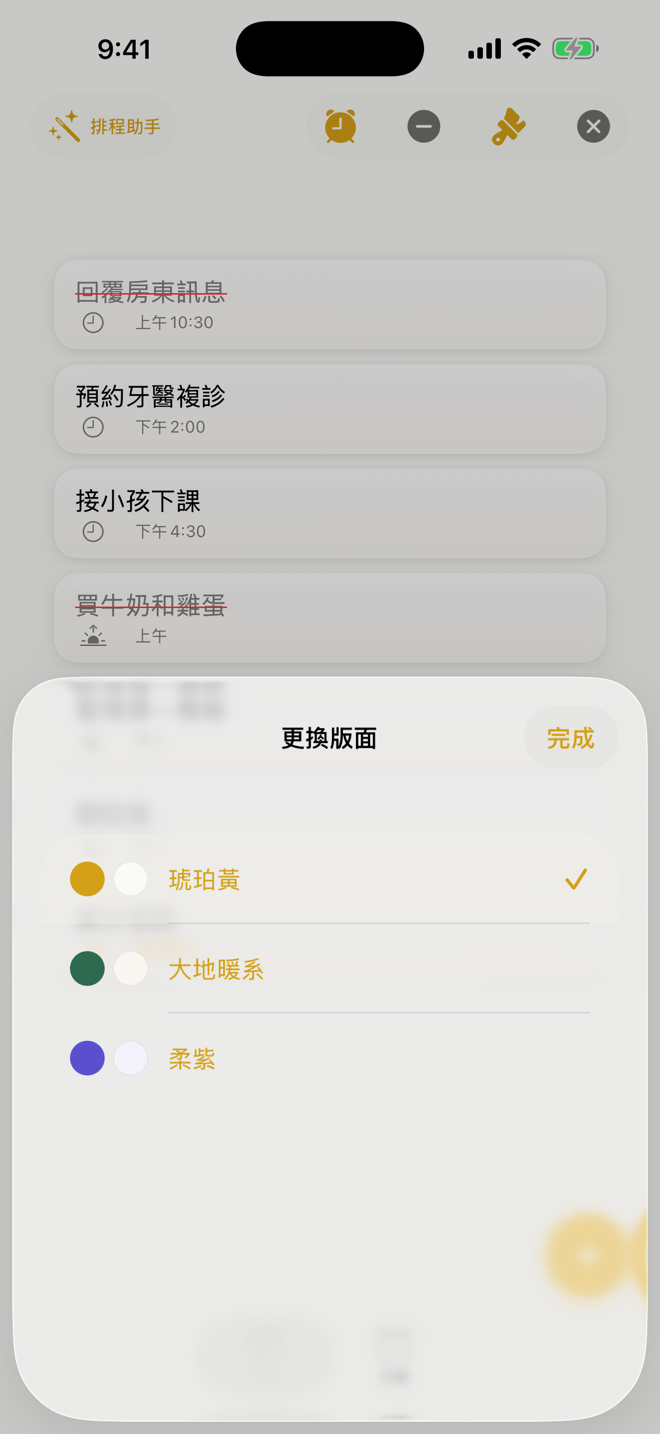
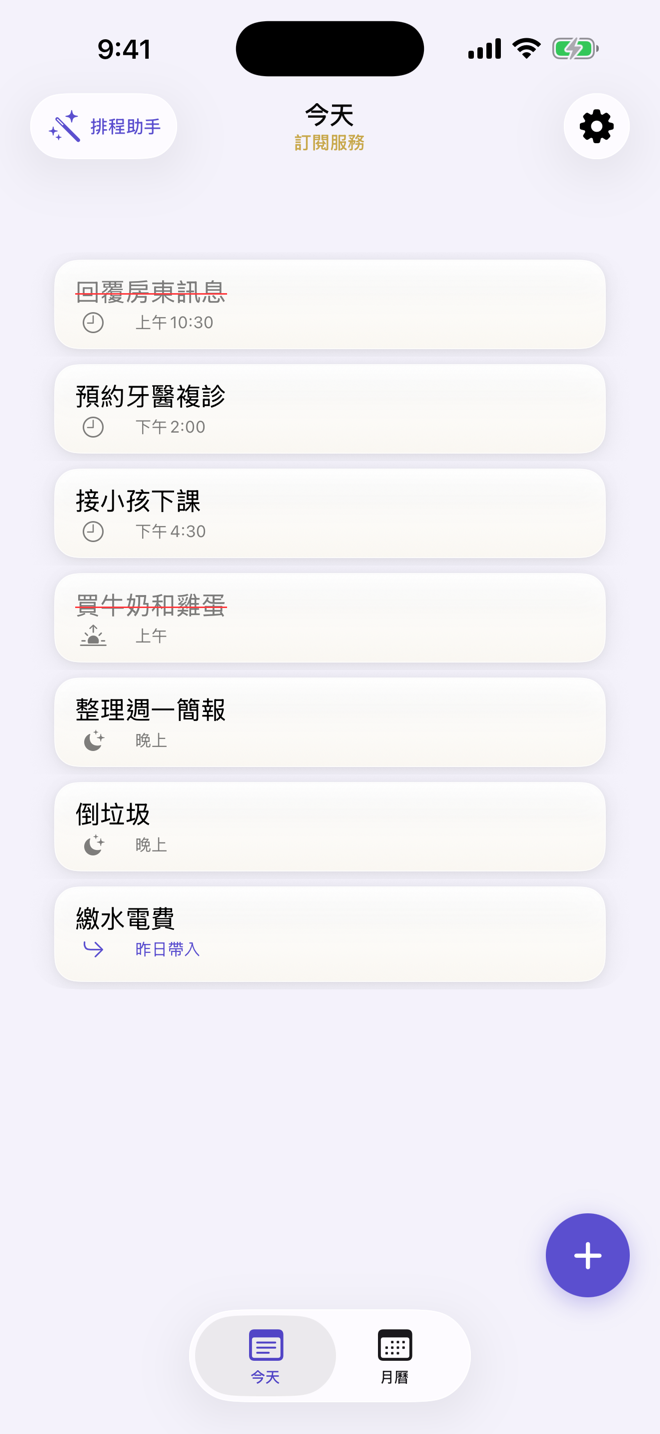
- Themes · amber, warm earth, lavender; synced to the widget
01Problem
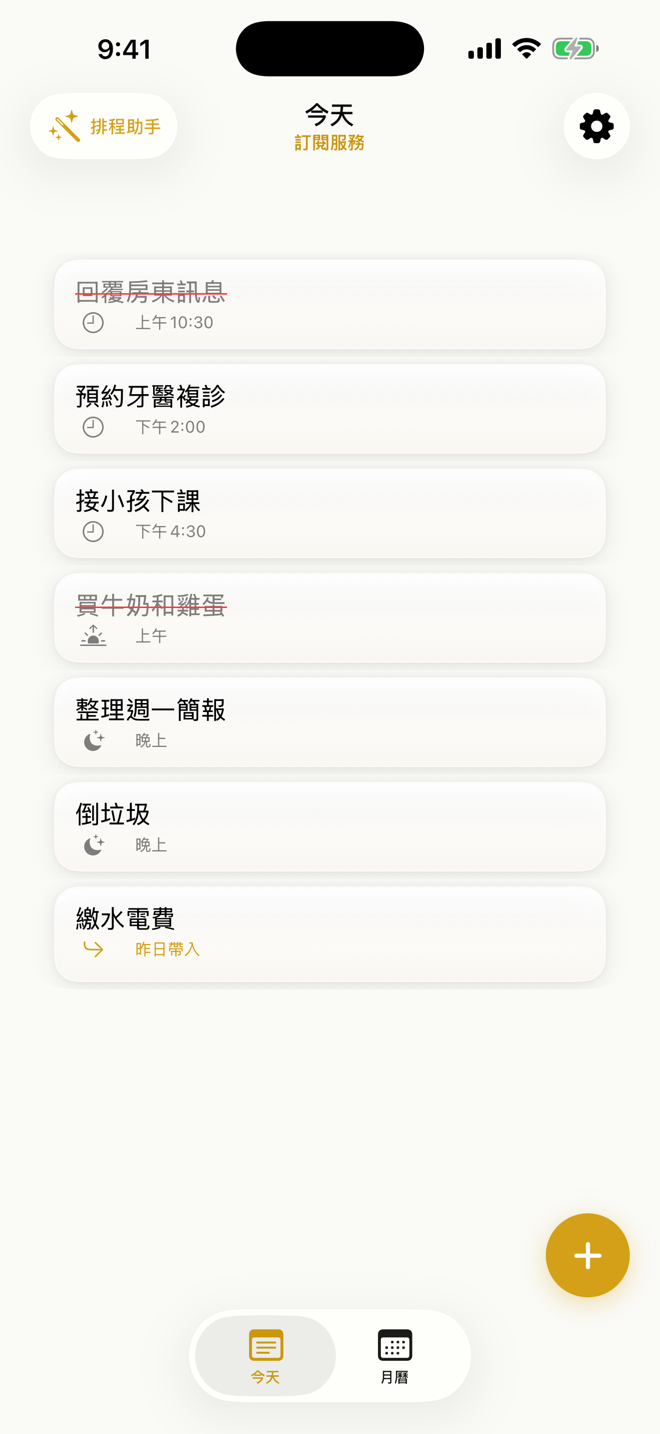
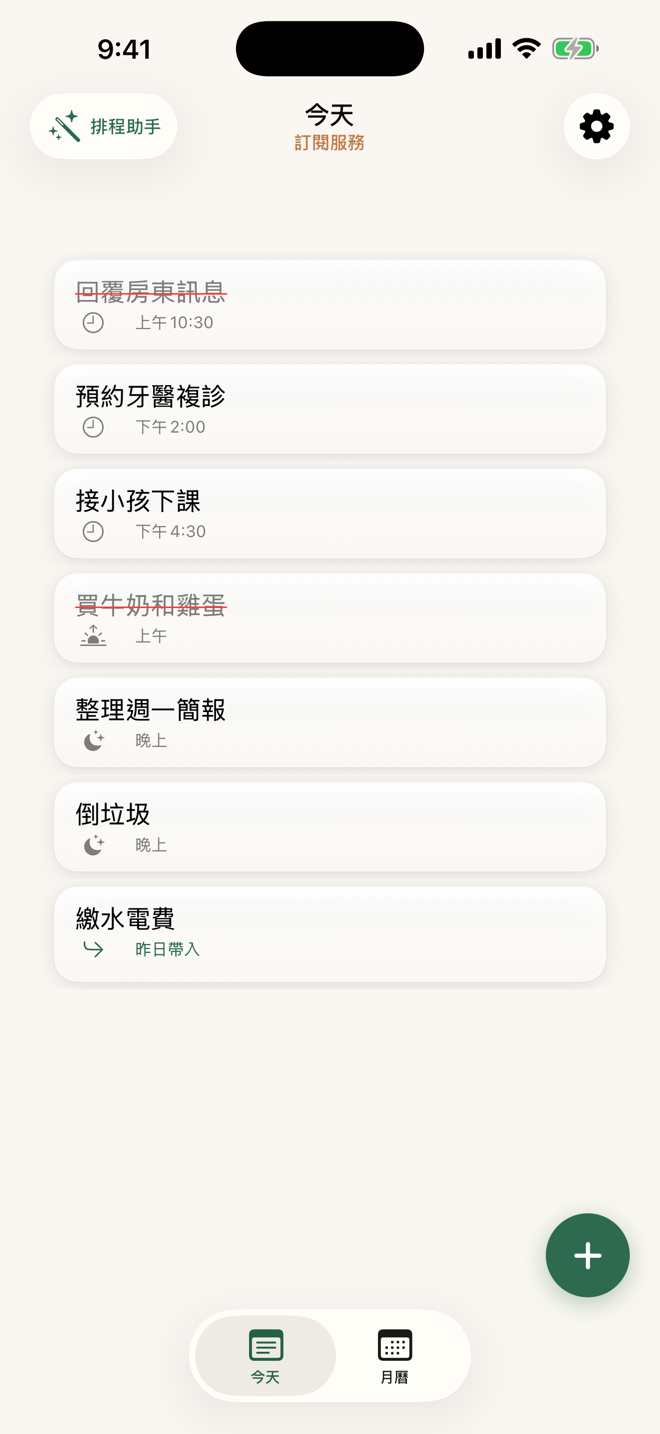
Most to-do apps for everyday errands are too heavy: you create projects, add tags, drag things on a timeline, and writing one thing down already takes more than a minute. I wanted the opposite extreme. Add, schedule, complete, delete, each within a minute. Time can be unset, a slot (morning, afternoon, evening) or exact to the minute. Anything unfinished shows up tomorrow by itself.
The second problem was mine. This is a solo developer's first subscription app, aimed at Taiwan, Hong Kong, mainland China, English and Japanese markets at the same time. Scope, pricing line, privacy promises: every decision needed a recorded reason, or three months later I would not be able to explain it even to myself.
02Users & Context
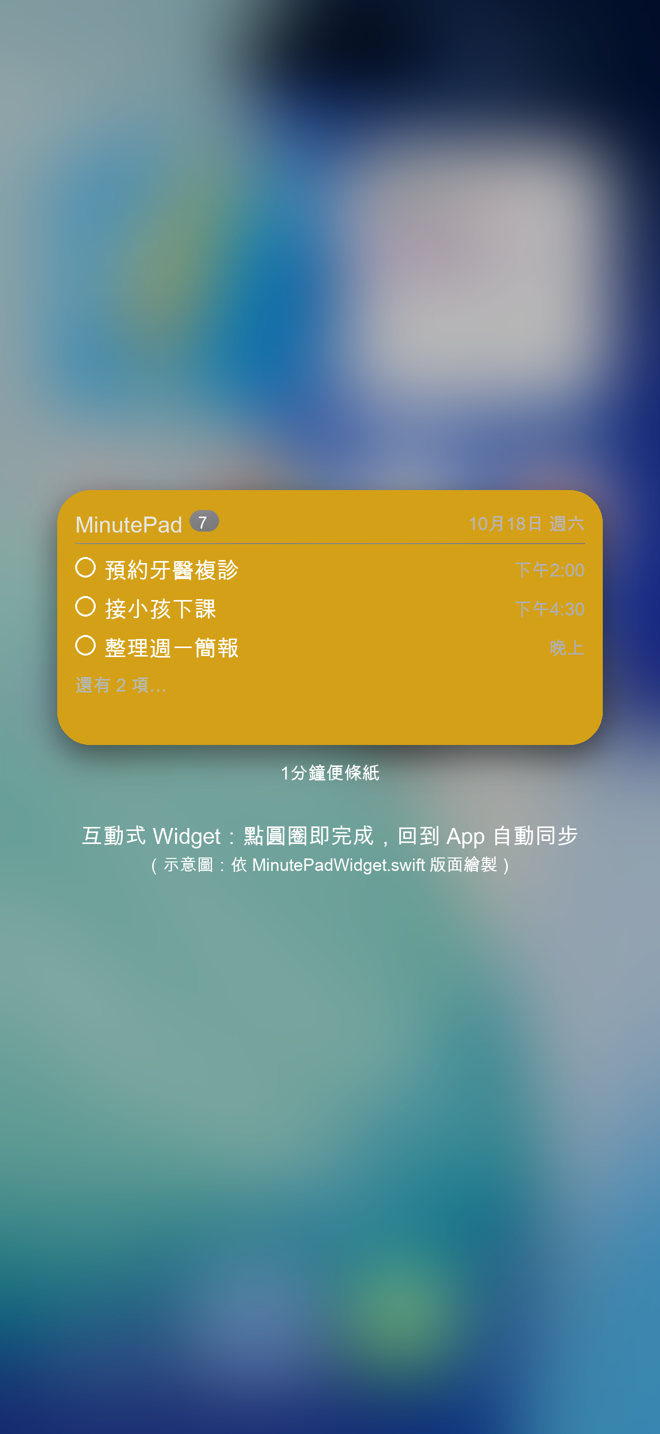
The primary users are people who need to jot a task down fast: office workers, caregivers, anyone juggling five small things. The moments are fragments of time, walking, waiting for a bus, two minutes before a meeting. So input has to be quick (text, or a photo through on-device OCR), reminders have to be precise (on time, or 5, 10, 15 or 30 minutes early), and the home-screen widget has to let you check things off directly.
The second user is the AI I build with. Claude Code starts every session from zero and needs a stable statement of what this product is and is not. CLAUDE.md is the product requirements doc written for it.
03Constraints
- Solo developer: no backend team, so v1.0 cannot depend on my own server; data stays on the device, with no account and no third-party SDK.
- Subscription: the free tier has to be good enough to install, Pro has to be worth buying today, and everyday notes must never be locked away.
- Five markets: copy and OCR languages for Traditional and Simplified Chinese, English and Japanese; a palette that does not flatter only one place.
- AI cost and safety: scheduling calls Azure OpenAI directly, so key protection has to be solved before launch.
- Documentation debt: the dev log and the user-survey file are empty, so back-filled decisions could only be dated from file timestamps, and that had to be stated honestly.
04Approach & Trade-offs
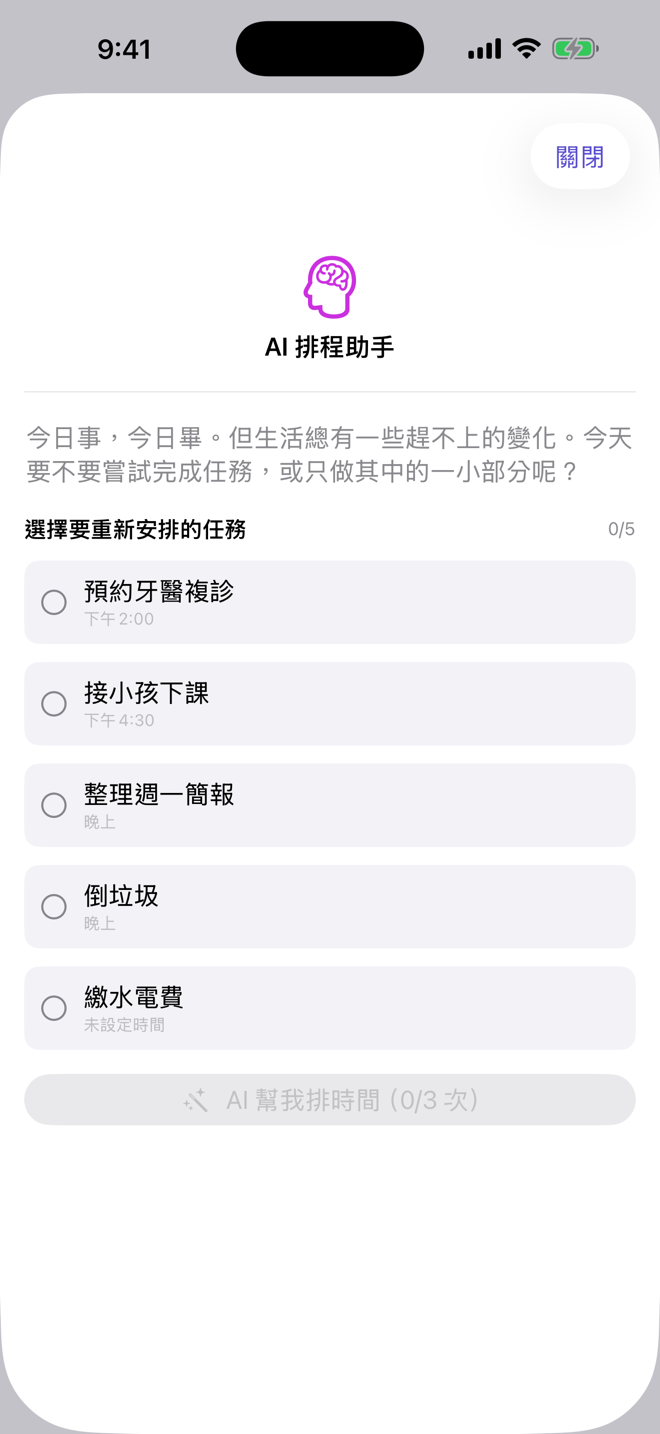
Four mechanisms carry the product: three time granularities (none, slot, exact); carry-over (copy to today and soft-delete the original, so the calendar still shows yesterday); an interactive widget (an AppIntent writes check-offs into an App Group queue that the app applies on foreground, so two processes never write the same store); and the AI scheduler (pick up to five tasks, the AI proposes times around the current clock, occupied and blocked slots, and every suggestion needs the user's confirmation).
The three biggest trade-offs. First, AI moved from Phase 4 into v1.0, but its scope shrank from Eisenhower classification to 'fit today's unscheduled tasks into the day'. Second, the free/Pro line was drawn at 'everyday notes free, effortful automation paid': free users get three AI runs a day for today and tomorrow; Pro adds unlimited runs, blocked slots, recurring tasks and tasks beyond tomorrow. Third, v1.0 ships without iCloud sync. The planned CloudKit container never left its stop-gap, and rather than discover schema conflicts after launch I wrote the simplest privacy story: everything stays local.
Key decisions
05How I Worked with AI
I treat CLAUDE.md as the AI's PRD. It holds positioning, the feature list, Pro pricing, a file index, the launch checklist and, most importantly, a 'not in this project' list: CBT-style procrastination nudges and habit analysis belong to a different product. That section did more work than any feature description. The seeds of a CBT nudge had appeared in the code; once the boundary was written down the AI stayed inside it and the leftover code was marked for removal.
The decision log is the second thread. Every entry in DECISIONS.md has context, options, the decision and the conditions for changing it, from 'SwiftUI vs Flutter' to today's key handling, 26 in all. It allows reversals: D012 chose XcodeGen, D015 admits Xcode took over the project file and even records 'never run xcodegen'.
The most persuasive moment was the AI getting it wrong and being corrected. The plan said scheduling would go through a relay to protect the key; to get the feature running, Claude wrote the Azure key straight into Swift. My security check before the first git commit caught it. I laid out three options and chose one; Claude moved the key into a git-ignored xcconfig injected through Info.plist, and both configurations were verified with xcodebuild. A boundary holds because of a checkpoint in the process, not because the AI means well.
Human–AI moments
Drawing the AI's boundaries in CLAUDE.md
What I decided
A CBT-style 'small next step' suggestion and the seeds of habit analysis had crept into the code. I judged those belong to a different product, not to MinutePad's 'simple and effortless' positioning. So I wrote positioning, scope, the Pro boundary and an explicit 'not in this project' list into CLAUDE.md, turning it into a PRD for the AI.
What AI did
Claude Code reads CLAUDE.md at the start of every session and has stayed inside the scope since; the leftover suggest(for:) and AISuggestionCache remain as code with no UI entry point, pending removal.
Outcome
v1.0 scope held: AI only reschedules today's tasks, and CBT plus habit analysis were formally moved out (DECISIONS D025).
Lesson In a requirements doc for an AI, 'what we do not build' does more work than 'what we build'
Widget check-offs must sync back to the app
What I decided
I asked for a home-screen widget where you can check tasks off directly, with the change always syncing back to the app, but I did not want the widget, a separate process, writing straight into the Core Data store.
What AI did
Claude used an AppIntent (ToggleTaskIntent) to append the tapped task ID to a pending queue in the App Group, with optimistic display on the widget; when the app returns to the foreground it drains the queue into Core Data and pushes the fresh list back to the widget.
Outcome
Widget and app talk only through a one-way push plus one queue in App Group UserDefaults, with no multi-process writes to the same store (DECISIONS D023).
Lesson For cross-process sync, decide first who the single writer is
The AI took a shortcut: a hard-coded API key
What I decided
The plan said AI scheduling would go through an Azure Functions relay to protect the key (D006). To get the feature running, Claude called Azure OpenAI directly from the app and put the key in Secrets.swift. My security check before the first git commit caught it; I laid out three options (ignore the file / inject via xcconfig / build the relay), chose xcconfig for now and put the relay on the pre-launch list.
What AI did
Claude moved the key into a git-ignored Secrets.xcconfig, injected it into Info.plist through an optional include in Base.xcconfig, and rewrote Secrets.swift to read it; the project still builds without the xcconfig and the AI feature reports 'not configured'. Both cases were verified with xcodebuild.
Outcome
No key in source or git history; the exposed key is scheduled for rotation. The relay is logged as known pre-launch debt (DECISIONS D019, D026).
Lesson An AI will cross a security line to make something work; hold the line with a checkpoint in the process, not with its good intentions
Pulling the Phase 4 AI forward, but to do one thing only
What I decided
The design doc placed AI 12 to 24 months out, with Eisenhower classification and usage-pattern analysis. I judged Pro needed a reason to buy today, but matrix classification without usage data would be hollow. So AI moved into v1.0 with a narrow job, 'fit today's unscheduled tasks into the day', and every suggestion requires my confirmation.
What AI did
Claude built AIAssistView and suggestSchedule: pick up to five tasks, feed the model the current time, occupied slots and blocked slots, and demand HH:mm lines only; a line that fails to parse shows 'no suggestion' with a 'move to tomorrow' fallback.
Outcome
AI scheduling became the headline Pro feature (three free runs a day); the Eisenhower fields stay reserved and unused (DECISIONS D017, D020).
Lesson Ship one AI feature that is accurate and checkable before chasing clever ones
A tooling decision overturned by Xcode
What I decided
D012 chose XcodeGen to manage the project file. Then I added the Widget target and signing directly in Xcode, and project.yml fell behind for good. When tidying the docs I chose to accept reality: the pbxproj is owned by Xcode, and 'never run xcodegen generate' became a logged decision.
What AI did
While back-filling DECISIONS, Claude found project.yml had no Widget target and still carried placeholder bundle IDs, wrote it up as D015 and added the warning to the README setup steps.
Outcome
Docs now match how the project is really built, and a newcomer will not wipe the Widget target by running xcodegen (DECISIONS D015).
Lesson A decision log must allow reversals, and the reversal itself must be logged
06Outcomes
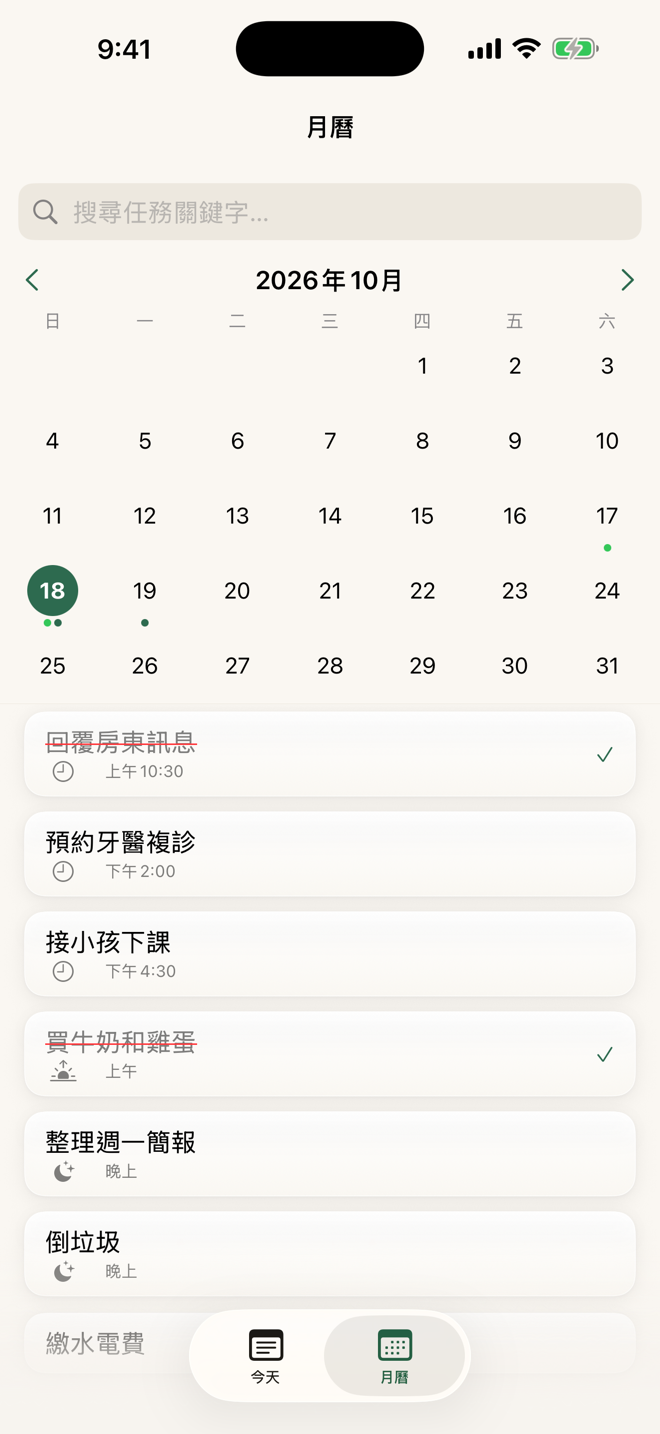
- v1.0 feature-complete: note CRUD, three time granularities, reminders, OCR (library and camera, on-device), calendar with search, Apple Calendar export, interactive widget, carry-over, recurring tasks, blocked slots, AI scheduler, StoreKit 2 subscriptions.
- Three themes (amber, warm earth, lavender); the widget recolours on switch.
- 26 logged decisions, a root README as documentation map, a CLAUDE.md boundary statement, and a private repo with no keys in it.
- App Store copy drafted in three languages with a privacy policy draft; screenshots produced.
- Status: built, awaiting launch (screenshots, hosted privacy policy, TestFlight, review).
Screens
07What I'd Do Differently
First, actually keep the dev log. Back-filling twelve decisions meant dating them from file timestamps, and only the most recent 'AI corrected by a human' episode has complete evidence. A decision log is valuable when written in the moment, not reconstructed later.
Second, run the security check before the first line of code, not before git init. Had CLAUDE.md already said 'keys come only from xcconfig' when the key was first written, the AI would not have taken that shortcut. A PRD for an AI needs 'how you may not do it' alongside 'what we do not build'.
Third, the privacy policy draft says 'no data is transmitted', yet the AI scheduler sends task text to Azure OpenAI. Copy and code evolved separately and nobody reconciled them. The launch privacy policy has to be rewritten from the code, not from the wish.